


How to Download Your World From an Enshrouded Server

Downloading your Enshrouded world gives you a local copy you can keep as a backup, move elsewhere, or hang onto before making major changes. Since the world save is stored on the server, grabbing the whole savegame folder is the safest way to keep everything together.
Download Your Enshrouded World
Navigate to your Nodecraft dashboard.
Locate your Enshrouded server and click Manage.
Stop the server.
Click Server Files in the menu on the left, then open Files.
Locate the savegame folder in the main server directory.
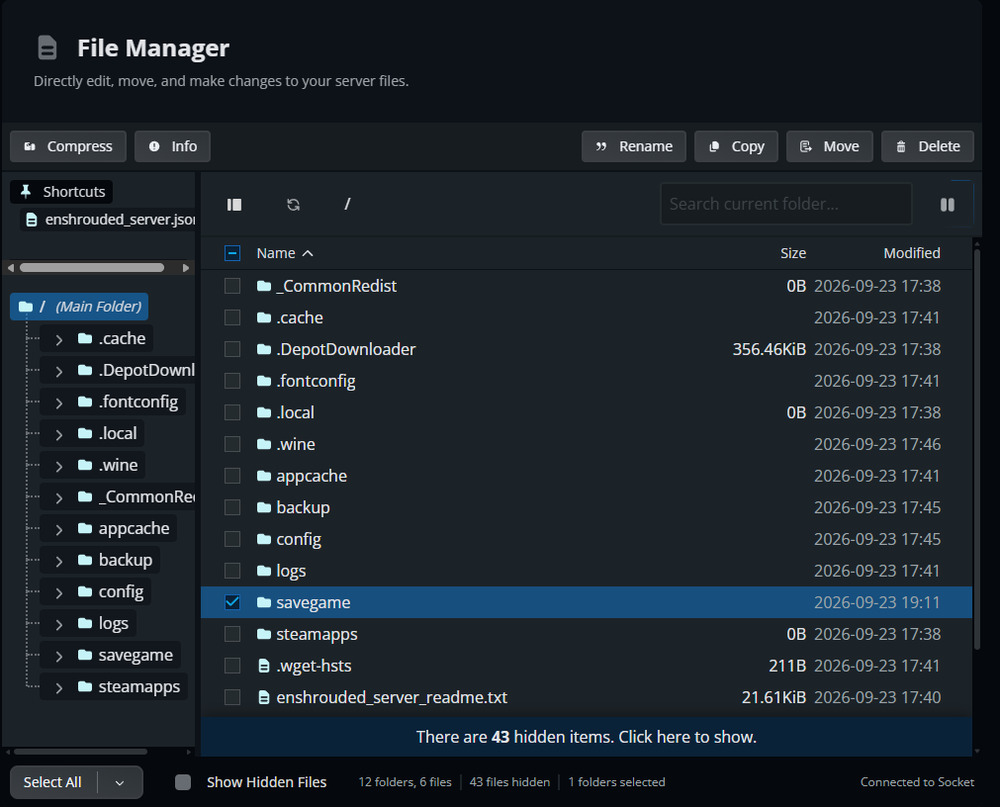
Select the checkbox next to the savegame folder.
Click Compress to create a .tzst archive of the savegame folder.
Once compression finishes, locate the new savegame.tzst file in the File Manager.
Select the archive and click Download.
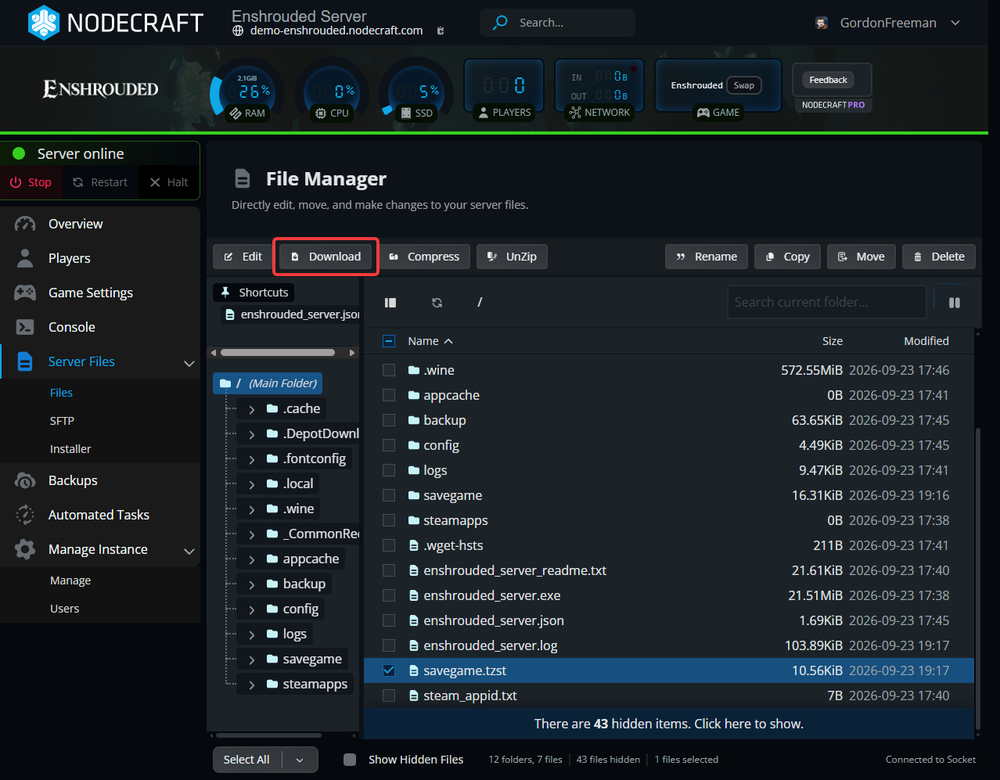
Save the .tzst file somewhere safe on your computer. You now have a local copy of the server world that can be stored as a backup or used later if you need to restore or move the save.
What Is Included in the World Download?
Enshrouded dedicated servers store world progress in the savegame folder. The folder can also contain the active save, index information, metadata, and rolling save copies, so downloading the entire folder is better than grabbing one hexadecimal save file by itself. Player character progression is stored on each player's device rather than on the dedicated server, so character saves are not included with the world download.
Final Thoughts
Keep a local world backup somewhere you can find it when you need it. Access to your own saves is something to expect from the best Enshrouded server hosting, and Nodecraft lets you download the files directly.
Need Help?
If you have questions or run into any issues, our support team is here to help! Reach out using the support widget on our website or visit our support center for further assistance.