


How to Disable the Shroud Curse on an Enshrouded Server

The Shroud Curse is a long-term debuff that can reduce how long a player is able to remain inside the Shroud. If you want to keep the Shroud dangerous without adding the curse mechanic on top of everything else, you can disable it from your Nodecraft server settings. The fog is already rude enough.
Disable the Shroud Curse
Navigate to your Nodecraft dashboard.
Locate your Enshrouded server and click Manage.
Stop the server.
Click Game Settings in the menu on the left.
Select the Combat tab.
If your server is not already using Custom difficulty, click Change Difficulty to Custom. Individual Combat settings only apply while the server is using Custom difficulty.
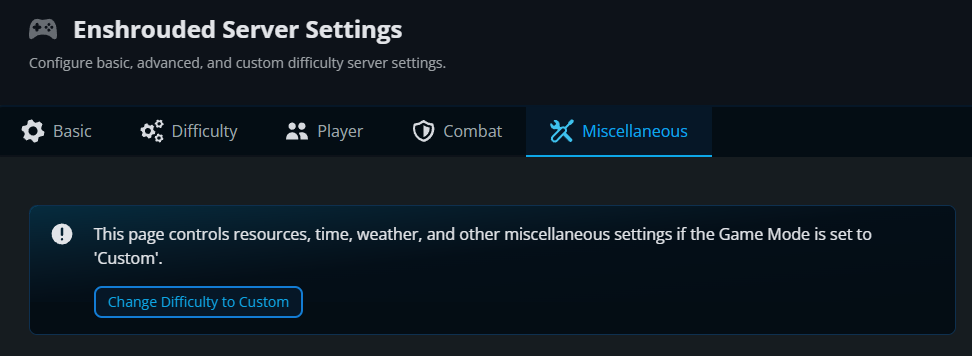
Scroll to the Shroud section.
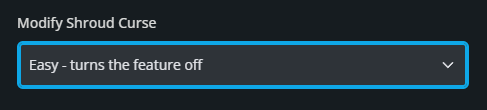
Open the Modify Shroud Curse dropdown and select Easy.
Click Submit to save the changes.
Start the server again.
What Does the Shroud Curse Setting Do?
The Modify Shroud Curse setting controls whether the Shroud curse is disabled or how likely players are to receive it from the enemies that can apply it. Easy turns the curse mechanic off, Normal uses the standard chance, and Hard doubles the chance compared with Normal. This setting does not remove the Shroud itself or change the normal Shroud timer.
Final Thoughts
Turning off the Shroud Curse removes that extra penalty while leaving the Shroud itself in place. The best Enshrouded server hosting lets you choose which challenges suit your group, and Nodecraft makes those settings easy to reach.
Need Help?
If you have questions or run into any issues, our support team is here to help! Reach out using the support widget on our website or visit our support center for further assistance.