


How to Create a New World on an Enshrouded Server

Creating a new world on your Enshrouded server gives everyone a fresh start without changing the server itself. This removes the current world progress so the server can generate a clean world the next time it starts. If your group is ready to leave the old bases, terrain changes, and quest progress behind, this is the reset button without an actual reset button.
Create a New Enshrouded World
Navigate to your Nodecraft dashboard.
Locate your Enshrouded server and click Manage.
Stop the server.
If you want to keep the current world, download a backup before continuing.
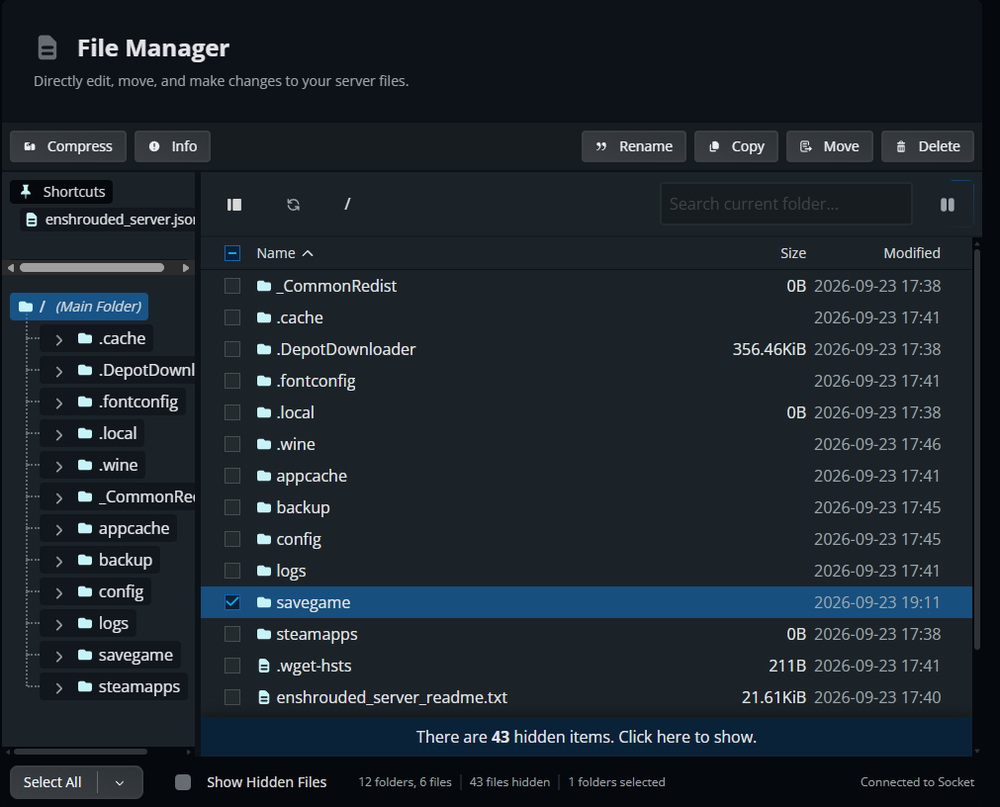
Click Server Files in the menu on the left, then open Files.
Open the savegame folder.
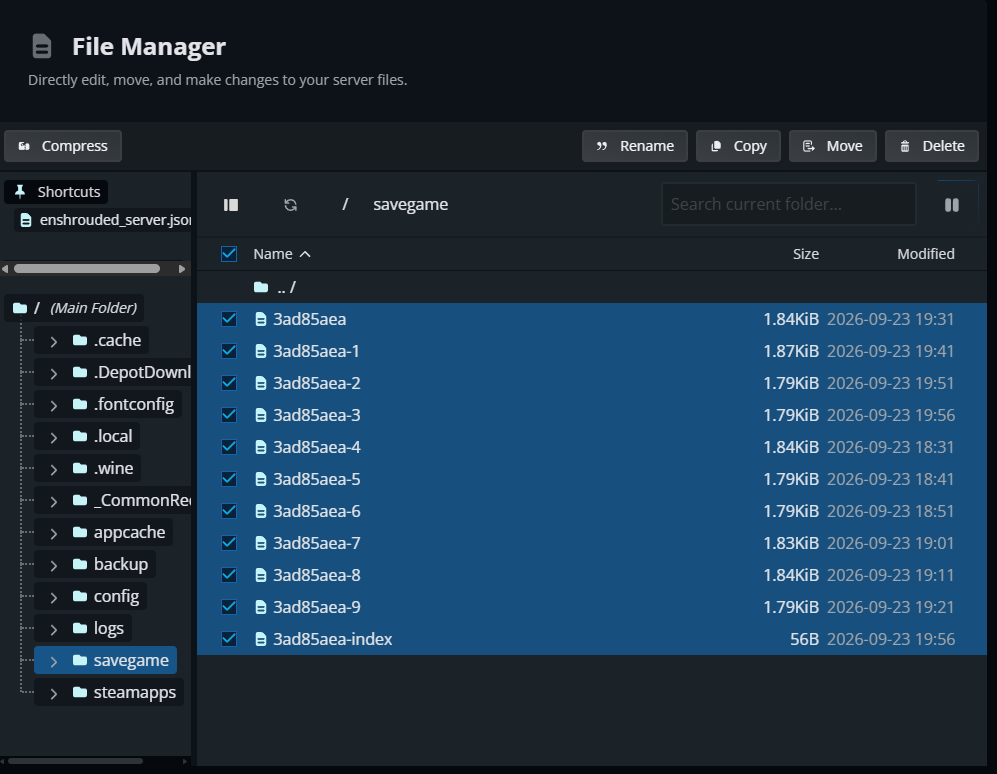
Select all files inside the savegame folder.
Click Delete and confirm that you want to remove the selected files.
Start the server again. Enshrouded will detect the empty savegame folder and create a fresh world automatically.
What Changes with a New World?
Creating a new world removes the progress stored in the server's world save, including bases, buildings, terrain changes, world storage, and world progression. Character progression is stored on each player's device, so resetting the server world does not delete their character progression. Enshrouded uses a hand-crafted map, so this creates a fresh version of the same world rather than a newly randomized map.
Final Thoughts
A new world gives your group a fresh start without rebuilding the entire server configuration. The best Enshrouded server hosting leaves you free to make that choice, and Nodecraft gives you the world-management tools to start your next run on your own terms.
Need Help?
If you have questions or run into any issues, our support team is here to help! Reach out using the support widget on our website or visit our support center for further assistance.