


How to Change the Server Name on an Enshrouded Server

In this guide we are going to cover how you can change the name of your Enshrouded server. Changing the server name is a simple way to customize your server and to be able to more easily identify it in the server list.
Changing the Server Name
Open your Dashboard
Locate your Enshrouded server and click on the Panel button.
Once on your panel, click the Game Settings tab.
Once on the game settings page, the first option you see should be the server name.
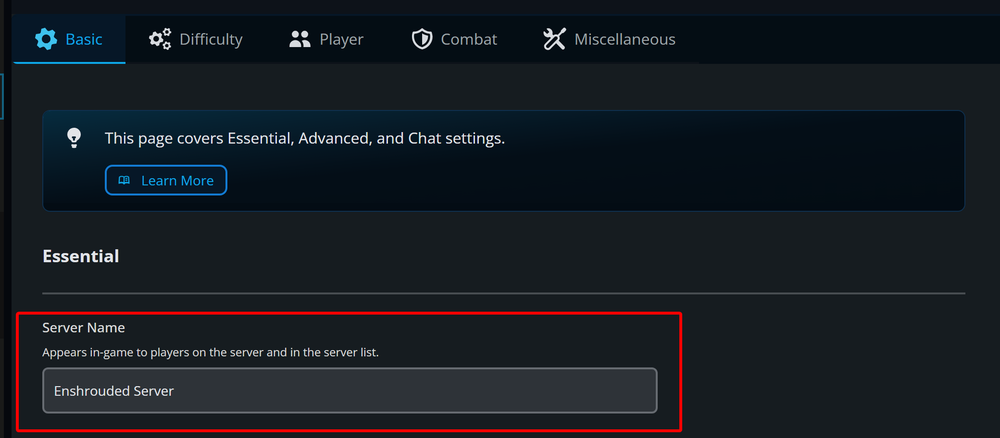
Enter your new desired name into the Server Name box.
Once you have entered your new name, click the Submit button.
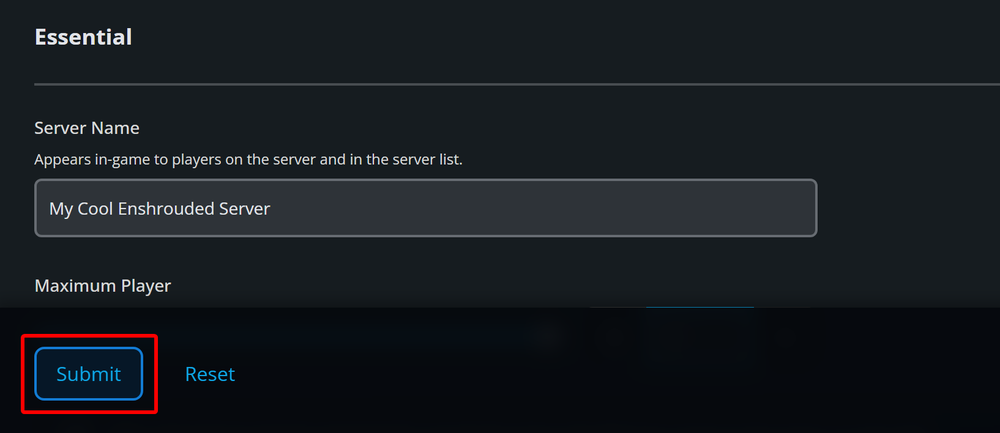
Start/restart your server to apply the new name.
Conclusion
You have now changed the name of your Enshrouded server. With the new name your server has your own personalized touch and can be easier to identify on the server list.
Need Help?
If you have questions or run into any issues, our support team is here to help! Reach out using the support widget on our website or visit our support center for further assistance.