


How to Change Food and Hunger Settings on an Enshrouded Server

Enshrouded's food and hunger settings let you decide whether eating is just a useful boost or something players actually have to keep an eye on. You can enable starvation, change how long players stay hungry before starving, and adjust how long food buffs last without digging through the server files.
Change Food and Hunger Settings
Navigate to your Nodecraft dashboard.
Locate your Enshrouded server and click Manage.
Stop the server.
Click Game Settings in the menu on the left.
Select the Player tab.
If your server is not already using Custom difficulty, click Change Difficulty to Custom. Individual Player settings only apply while the server is using Custom difficulty.
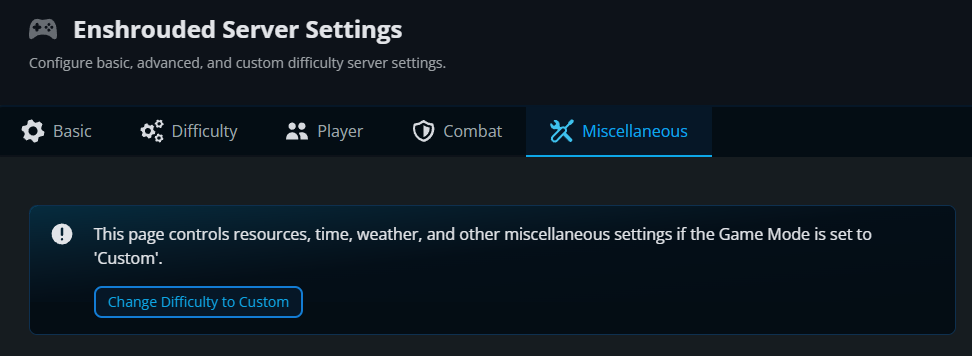
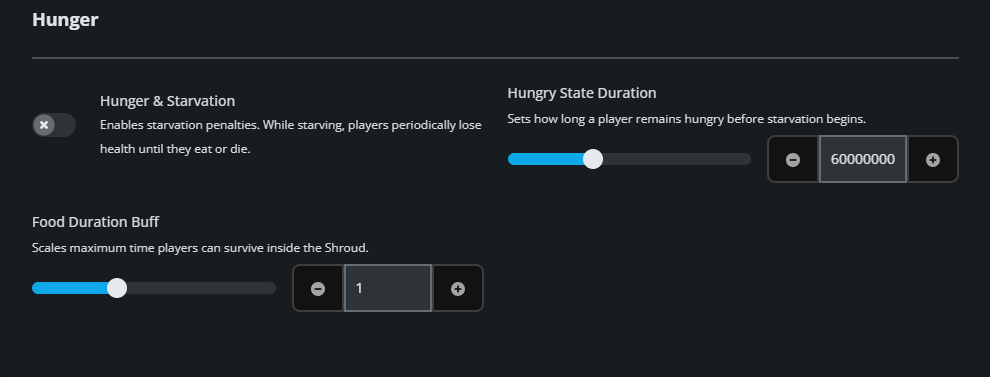
Scroll to the Hunger section.
Adjust the food and hunger settings for your server. Hunger & Starvation controls whether starvation is enabled. When enabled, players lose health periodically after entering the starving state until they eat, drink, or die. Hungry State Duration controls how long a player remains hungry before starvation begins and can be set from 5 to 20 minutes. Food Duration Buff changes how long food buffs last. The default value is 1, with values from 0.5 to 2. A value of 2 doubles food buff duration, while 0.5 cuts it in half.
Click Submit to save the changes.
Start the server again.
How the Food and Hunger Settings Work Together
Hunger & Starvation determines whether players can progress from hungry to starving. Hungry State Duration only affects how long that transition takes when starvation is enabled, while Food Duration Buff can be adjusted independently to make meals last for a shorter or longer amount of time. That gives you room to make survival stricter without turning every meal into a full-time job.
Final Thoughts
Food and hunger settings let you decide how much survival pressure your group wants. That flexibility is part of the best Enshrouded server hosting experience, and Nodecraft keeps these choices in your hands.
Need Help?
If you have questions or run into any issues, our support team is here to help! Reach out using the support widget on our website or visit our support center for further assistance.