





Budget 7 Days to Die Server Hosting
- Online when you are
- Shuts down when unused
- Wake & Play to resume
$8.34 first month, then
$11.92 per month
$16.69 first month, then
$23.84 per month
$20.86 first month, then
$29.80 per month


Premium 7 Days to Die Server Hosting
- 24/7, always online
- Static IP address
- Set automated tasks
$13.99 first month, then
$19.98 per month
$27.99 first month, then
$39.98 per month
$34.99 first month, then
$49.98 per month

* Trials available only while supplies last. A valid cell/mobile phone number will be required to verify your eligibility for a trial. One trial per person.
Choose the Best 7 Days to Die Server Plan
What is the difference between Nodecraft Budget and Premium Plans?
| | Wake & Play Server | | 24/7 Server | |
|---|---|---|
| Starting At SALE! $11.92 $ 8 .34 /MO $8.34 first month, then Get started! Not recommended for this game | Starting At SALE! $19.98 $ 13 .99 /MO $13.99 first month, then | |
Server OnlineLite servers hibernate when unused, and wake up with a link you can give your friends. | Online When You Are Shuts down when unused, Wake & Play anytime to resume | 24/7 Always online, you're always in control |
| yes | no | |
| yes | yes | |
Easy to use Control PanelAdjust settings and manage your server directly from the control panel. | yes | yes |
DDoS ProtectionDDoS shield protects your server with low latency | yes | yes |
Manual Cloud BackupsProtect your game servers with Nodecraft's Cloud Backups. Included at no extra fee with all plans. | yes | yes |
Automated TasksInstantly Automate backups, commands, & Discord. No plugins, mods, or coding required. | yes | yes |
Customer Reviews:
Still on the fence? Read why customers say we're the best 7d2d server host!
I have been a Nodecraft customer for a couple of years and have never had a negative interaction with their support. For this most recent issue, an update to 7 Days to Die left my server in an unplayable state and the customer service agent that answered my ticket was able to explain the problem and recommend a path forward that makes me able to play again.
"The best server company in the community. Nodecraft supplies the community with some of the best servers that you could imagine. The NodePanel is very easy to get use. The support service is so fast, and is always able to help out in any situation. The servers run so well, that a modded server can start within about 30 seconds. Whenever you need a game server, you can always count on Nodecraft to host it with the best performance imaginable."
Claim Your Free 3 Day Trial
Spin up your dedicated server in minutes and start surviving the horde with your friends—completely risk-free.Built for the Horde: Premium 7 Days to Die Server Features

Dominate the apocalypse on AMD’s fastest processors. Built to handle massive bases, heavy modding, and intense zombie hordes without breaking a sweat, our infrastructure delivers blazing-fast AMD Ryzen 9 & EPYC speeds. Play completely uninterrupted with advanced, built-in DDoS shielding and a strict no-overselling policy, ensuring your server always gets 100% dedicated, lag-free power.
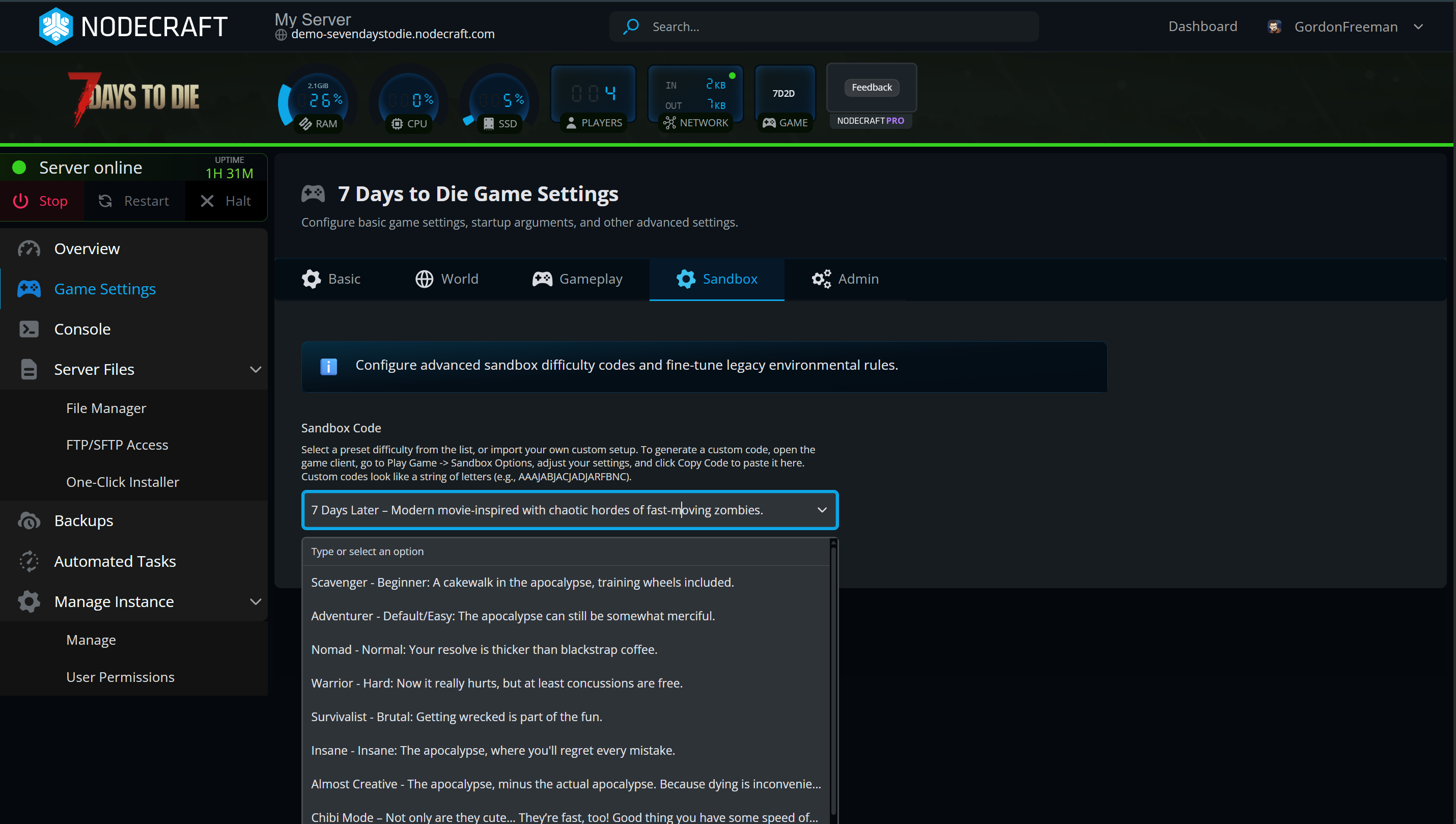
Launch your server instantly using official 7D2D 3.0 sandbox presets, or seamlessly import your own. Just copy your single-player configuration string and paste it right into our custom manager. No tedious file editing, no downtime; just pure survival with your friends in seconds.

7 Days to Die server hosting is more fun with friends! Play with all your Xbox, PS5, and PC friends with a simple crossplay toggle in Nodecraft's server control panel.
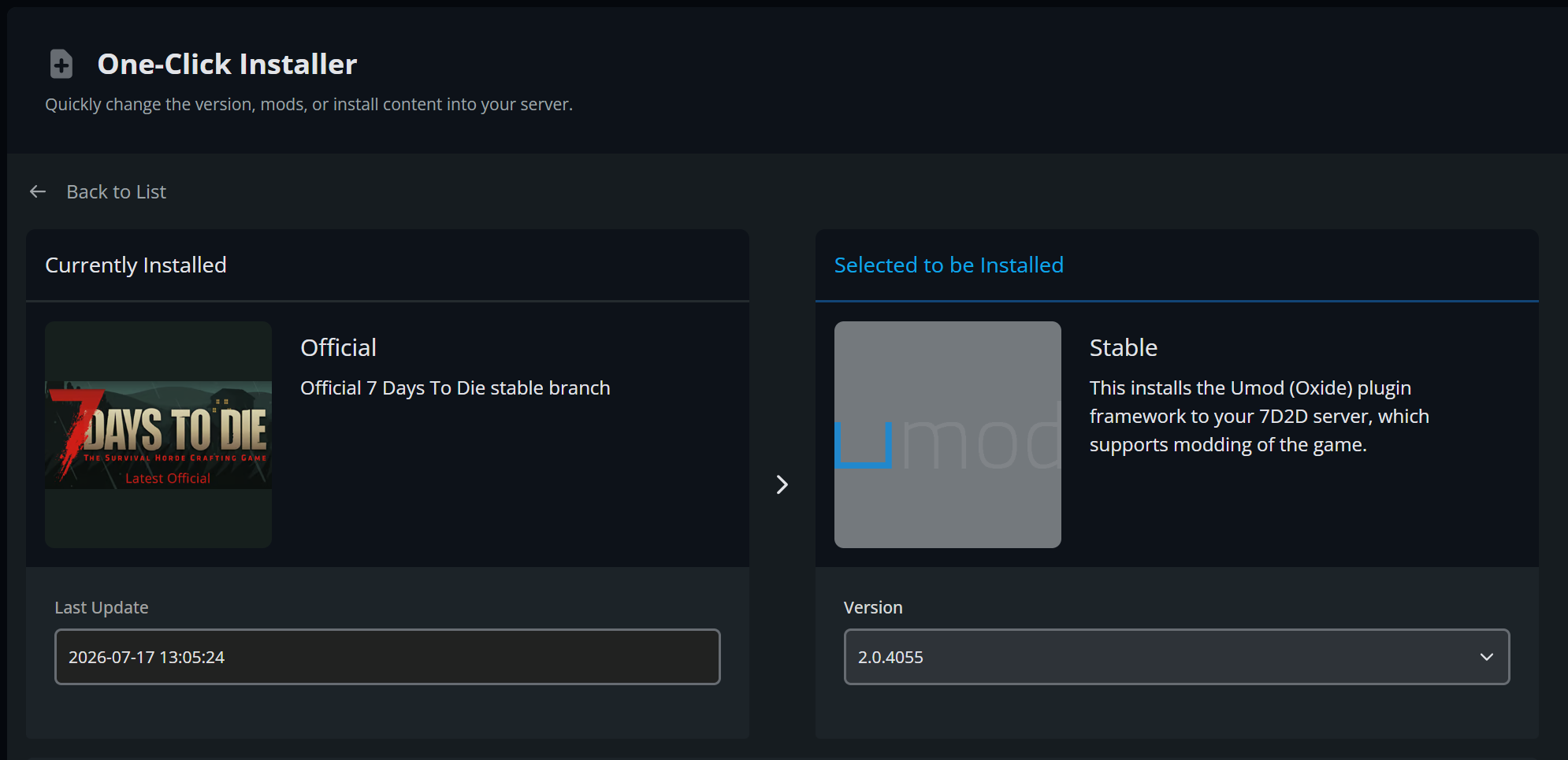
Enjoy modded 7d2d server hosting with our pre-installed build of uMod. Easily add mods with our in-app file manager. Quickly swap between official vanilla 7 days to die and modded builds with our one-click installer!
Take control of your 7D2D multiplayer server using Nodecraft’s intuitive, web-based control panel built for speed and simplicity. Go from checkout to gaming with your friends in just a few clicks with our instant server setup, and easily adjust player slots, rules, and game settings directly from your browser. Whether you are hosting your very first server or deploying a heavily modded world, our intuitive tools take the headache out of server management, letting you rest easy knowing your massive builds and survival progress are safe with our automated cloud backup system.

Take absolute control of your 7 Days to Die server with our advanced toolkit. Seamlessly manage files via our web-based file manager or (S)FTP to upload custom maps and mods, monitor your live server console in real-time, and automate tasks like restarts and commands without touching a line of code. You can even safely delegate multi-user permissions to co-admins and deploy integrated MySQL databases instantly from your control panel.
Never waste money on an unused server. Swap your 7D2D server to Palworld, Minecraft, or 68+ games instantly. Your 7 Days to Die world stays perfectly preserved in the cloud, waiting for your return.
Launch Your 7 Days to Die Server in Minutes
Spin up your dedicated world instantly, configure your sandbox settings with zero file-editing, and start surviving the horde with your friends today.- North America LATENCY (ms)
- Seattle, Washington
- San Jose, California
- Denver, Colorado
- Queretaro, Mexico
- Dallas, Texas
- Houston, Texas
- Chicago, Illinois
- Atlanta, Georgia
- Miami, Florida
- Toronto, Canada
- Washington, D.C.
- Boston, Massachusetts
- South America LATENCY (ms)
- São Paulo, Brazil
- Europe LATENCY (ms)
- Madrid, Spain
- London, United Kingdom
- Paris, France
- Amsterdam, Netherlands
- Copenhagen, Denmark
- Prague, Czech Republic
- Zagreb, Croatia
- Bucharest, Romania
- Asia-Pacific LATENCY (ms)
- Paya Lebar, Singapore
- Tokyo, Japan
- Melbourne, Australia
- Sydney, Australia
- Auckland, New Zealand
Expert 7 Days to Die Server Support
Don't let technical hiccups keep you from surviving the horde. Our dedicated team consists of real server experts—not automated bots—ready to provide fast, friendly, and knowledgeable assistance whenever you need a hand.
100% Human Support: Speak directly with experienced server administrators who understand 7D2D inside and out.
5-Minute Average Response: Get back to gaming faster with some of the quickest response times in the industry.
Full Resolution under 1 Hour: Most server issues are diagnosed and completely resolved within 60 minutes.
Support is available daily from 11:30 a.m. to 8:00 p.m. CST. Reach us toll-free at +1-888-907-3220 or start a live chat right here on our website. We're here to help!
- How to Become Admin on Your 7 Days to Die Server
- How to upload a singleplayer world to your 7 Days to Die Server
- How to Opt-in to the Experimental Branches of 7 Days to Die
- How to Quickly Find and Join Your 7 Days to Die Server
- 7 Days 2 Die Sandbox Code Presets Guide
- How to Change Sandbox Settings on a 7 Days 2 Die Server
7 Days to Die
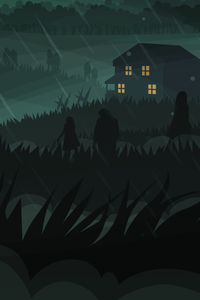
After World War 3, a brutal virus has left the world in ruins, overrun by the undead. Whether you brave the deserts of Navezgane or map an entirely randomized world, every choice matters. To survive the ultimate 7th-day horde, you need total control over your environment.
Why Host a 7 Days to Die Dedicated Server?
7 Days to Die (7D2D) masterfully blends survival horror, tower defense, and RPG mechanics into a massive sandbox. Elevate your multiplayer experience with high-performance server hosting:
Complete Configuration: Customize your perfect apocalypse. Easily toggle between brutal PvP factions or collaborative PvE co-op play.
Seamless Performance: Don't let lag ruin your defense. Host a dedicated server for smooth exploration, instant crafting, and voxel terraforming.
Full Modding Flexibility: Enjoy complete FTP file access to manually upload your favorite overhaul mods (like Darkness Falls), custom maps, and server scripts.
Gather your friends, fortify your base, and dominate the undead. With our premium 7 Days to Die server hosting, you dictate the rules of the apocalypse. How long will you survive?


F.A.Q.
-
Does Nodecraft offer free 7 Days to Die server hosting trials?
Nodecraft offers two options to trial our platform on all of our available plans except the Build Your Own.
Option 1: No credit card required; test our platform for free for 24 hours.
Option 2: Upgrade to a 3-day free trial by entering payment details.
What's included in the trial plan?
You can trial Nodecraft Pro server hosting and customization for any of our games.
If you have any questions regarding the free trial or our services, please contact our support team.
-
What is the difference between Nodecraft Lite and Pro subscriptions?
In short, Nodecraft Lite is the same high quality product as Nodecraft Pro, but with slightly different features to allow us to offer a budget friendly option. You can read more about the feature differences in the comparison chart on this page or visit our knowledge base article below.
What is the difference between Nodecraft Lite and Nodecraft Pro? -
Do I need to enter my credit card info to sign up?
No! Our free 24-hour trial is available with no credit card required.
Try a 7 Days to Die server out for free for 24 hours to see what we offer.
-
What payment methods do you accept?
Nodecraft is working on expanding the payment methods that are supported. Today we support the following payment methods:
All Major Debit/Credit Cards
Apple Pay
Google Pay
Paypal
Securing Payments
Nodecraft protects your payment information by using a PCI certified payment gateway. In doing so Nodecraft never has direct access to any of your sensitive payment details. All communication between customers, Nodecraft, and the payment gateway are secured using SSL encryption and modern tokenization.
-
When will I be billed?
Understanding the billing for your game server subscription is important to every server owner. Nodecraft offers a transparent and simple subscription service that ensures you always know when payments are coming and offers full control so there are no surprises.
Every game server subscription is billed with:
Full subscription management, cancel anytime
Payment Reminder 7 days before autopay
A grace period of 3 days, after which unpaid subscriptions are automatically terminated.
-
What is your refund policy?
Our latest refund policy and money back guarantee can always be found at:
-
How much RAM do I need for a 7 Days to Die server?
Stick with our 7 Days to Die server RAM recommendations at the top of this page for best results.
You can also select any amount of RAM on our pricing page or completely customize your server on our build your own page. -
Do my 7 Days to Die servers run 24/7?
Nodecraft offers two products: Nodecraft Pro and Nodecraft Lite. Nodecraft Pro servers are able to be online 24/7.
-
Can I upgrade or downgrade my plan?
You can automatically upgrade or downgrade your Nodecraft Pro Server plan at any time via the billing dashboard, which you will have access to as soon as you log in.
While in Open Beta, if you want to change between Nodecraft Pro and Nodecraft Lite, you will have to cancel your current subscription and create a subscription with the other product.
You can learn more about the process in this article. -
Do 7 Days to Die servers include DDoS Protection?
Our data centers have both external and internal packet scrubbing to protect against large-scale attacks against each server.
Play on your multiplayer 7 Days to Die server with DDoS protection today via Nodecraft!
-
What is an instance?
Nodecraft allows users to save and swap between games and modpacks by utilizing the server instances available to each plan. These instances can be thought of like save slots that are able to hold a game server's files in a saved state for you to pop back into your server to play later.
You can learn more about that in this article. -
How many player slots does my 7 Days to Die server have?
Nodecraft does not limit player slots on your server, so you can have as many player slots as the game allows on dedicated game servers!
-
Can I mod my 7 Days to Die server?
Yes! Easily drag and drop your mod files directly into Nodecraft's in-app file manager!
-
How do I cancel my service?
Our entire team understands the anxiety around canceling your online subscriptions. Your game server subscriptions can be canceled instantly and at any time by following the instructions below:
Login to your Nodecraft account and visit the Billing Overview.
Click on the game server subscription you'd like to cancel.
Find the cancellation page from the tabbed navigation.
Complete the cancellation form.
-
Have more questions?
At Nodecraft, we are on a mission to empower every gamer to run their own customized game servers regardless of technical expertise. Our support staff is highly knowledgeable, always human, and happy to help.
If you have any additional questions about Nodecraft or Minecraft Server hosting, please reach out!