

After years of anticipation, early access to Hytale is nearly here! Launching on January 13, 2026, pre-orders are now open. One of the first questions players asked was, “Can I reserve my username?” The answer is yes, and we’ve provided the instructions below.
How to Reserve a Hytale Username
Some lucky people were able to obtain a Hytale username token to reserve a username before pre-purchase. These tokens are single-use and were sent via email to those who previously signed up for the Hytale beta or Hytale/Hypixel newsletters. If you are one of these lucky individuals, you can use your reserved username on your account after making a pre-purchase. If you did not receive a token, you will have to pre-purchase the game to lock in your username.
How to Set Your Hytale Username
After pre-purchasing Hytale, you can set your username by accessing the Game Profiles section of your account.
Log in to your official Hytale account.
Click on "Account" in the top right corner of the page.
Select "Game Profiles" from the left-hand sidebar.
Click "Change Username" next to the temporary name automatically assigned at purchase.
Enter your new name or select a name you previously reserved using a token.
Confirm the change to permanently lock the name to your profile.
Important Name Rules to Remember
Reservation Transfer: If you reserved a name using a token before purchasing, it is not "officially" yours until you manually apply it to a game profile after preordering.
30-Day Cooldown: After setting your name, you can only change it once every 30 days.
Capitalization: You can adjust the capitalization of your name (e.g., changing "hytale" to "Hytale") at any time without triggering the 30-day cooldown.
Format: Usernames must be 3–16 characters long and can only contain letters, numbers, and underscores.
TOS and EULA: Taking a name with the purpose of “reselling, trading, ransom, or maliciously blocking others from getting that name” is against the ToS and EULA. Hytale’s developers have the right to revoke a username at any time to protect from abuse.
How to Change the Capitalization of Your Hytale Username
Once you’ve signed up for a username, you can change the capitalization following the instructions below.
Go to your account details on the Hytale website.
Click Game Profiles.
Under Game Profiles, to the right of your username, click the button “Change Capitalization”.
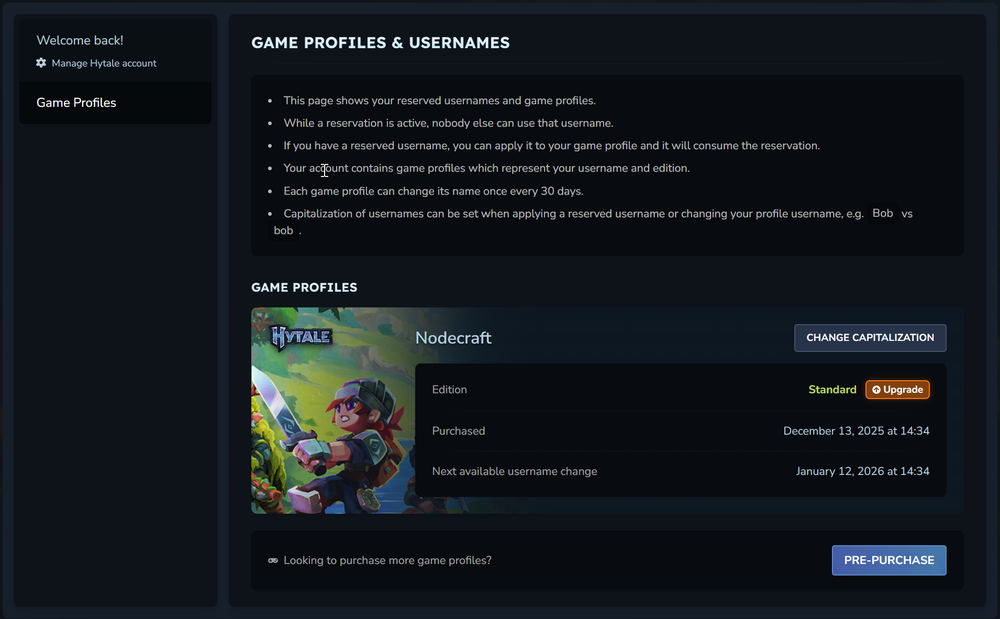
Make your changes and click Update Capitalization.
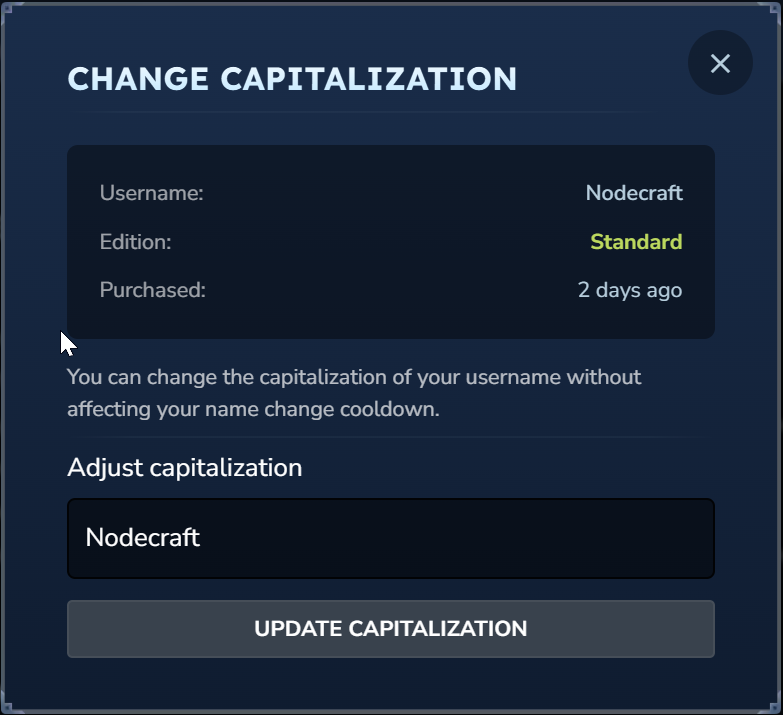
Note: Changing capitalization will not impact your name change cooldown.
Conclusion
Getting your preferred name locked in early is the best way to ensure you're ready for the January 13 Hytale launch. Whether you are a long-time community member with a reservation token or a new player pre-purchasing today, following these steps will guarantee your identity is secured. Get ready to purchase your own Hytale server to customize your experience with friends and community!
